




















-
Why Buy Uber SE Gift Cards with Crypto?
Gift cards make it easy to spend crypto on everyday purchases without using banks or converting funds through exchanges.
- Spend crypto on real goods and services
- No banks, no chargebacks
- Designed for everyday crypto spending
-
Buy Uber SE Gift Cards with Bitcoin — No KYC
Cardstorm allows you to purchase gift cards with crypto without completing KYC. The process is fast, private, and designed for users who value control over their funds.
- No account registration
- Secure crypto checkout
- Multiple purchases supported
-
Available Uber SE Gift Card Denominations
Choose from available Uber SE gift card denominations up to kr1,000 — ideal for everyday crypto spending and repeat purchases.
-
Spend More with Multiple Uber SE Gift Cards
If you need to cover a larger total, you can purchase multiple Uber SE gift cards to manage your crypto spending more efficiently.
-
How It Works
- Choose a Uber SE gift card amount
- Pay with Bitcoin or other supported cryptocurrencies
- Receive your gift card code via email shortly after payment
- Redeem the code and shop with Uber SE
-
Supported Cryptocurrencies
Pay with Bitcoin (BTC), Ethereum (ETH), USDT, USDC, and 250+ other cryptocurrencies.

Buy Uber Gift Card SE with crypto
Buy Uber SE with crypto — no KYC required. Denominations are available from kr250 to kr1,000; choose your value at checkout and get the code by email shortly after payment. Redeem on Uber for travel bookings and services. Great for trip planning and gifting. Fast checkout with clear instructions. Great for repeat purchases and gifting.
This product is not available in United States (US) 
By using this gift card, you agree to the following terms and conditions: This card may be redeemed at Uber B.V. in exchange for Uber Money via Uber® or the Uber Eats app in locations within the European Economic Area where Uber Money and Uber or Uber Eats are available. This gift card expires 1 year from the date of purchase unless otherwise required by applicable law. This gift card is not reloadable and, unless required by law, cannot be redeemed for cash. This gift card is non-refundable, except as required by law. You may be required to add a secondary payment method in order to use this gift card with the Uber or Uber Eats app. In order to comply with EEA law, you must provide certain information when redeeming your Uber Money gift card. In addition, the use of Uber Money is subject to the Uber Money Terms and Conditions and may be restricted in accordance with EEA law, as set forth in the Uber Money Terms and Conditions. Uber is not responsible for lost or stolen cards or unauthorized use. This card is issued by Uber B.V. Full terms and conditions and customer service can be found at uber.com/legal/gift.
- Open the app and make sure it’s the most recent version
- Go to the Account section and select Wallet
- Select + Add Funds
- Select Gift Card
- Enter the gift code without spaces
- Select Add



How to buy gift card with crypto
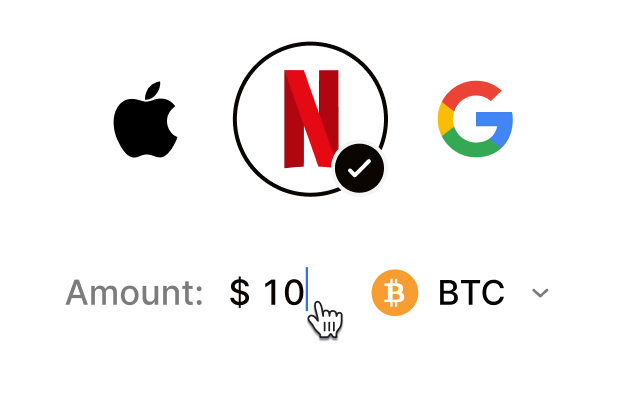 Choose your e-gift cardSelect any brand, amount, and token
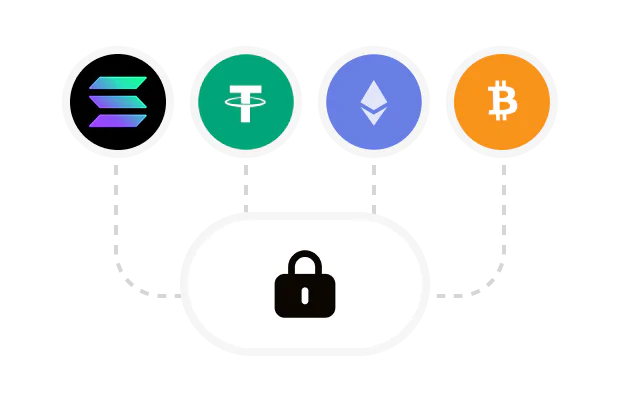 Pay safely with cryptoNo KYC required. Secure payments through our crypto checkout
 Instantly receive a voucher code via emailGet full instructions on how to redeem it
 Redeem & enjoySpend crypto on real goods and come back to Cardstorm
FAQ
- Cardstorm is a marketplace for buying gift cards with cryptocurrency. We offer a secure, fast, and private way to convert your crypto into a wide variety of gift cards. Choose a brand and the correct country/region, select your amount, pay with crypto at checkout, and receive your gift card details according to the delivery method shown on the product page.
- Cardstorm offers a wide selection of digital gift cards. Popular options include Amazon, Visa, Spotify, Netflix, PlayStation, Xbox, and Sephora. Availability can vary by country/region, so choose the correct location (for example, US) or use search to see the most up-to-date list.
- Yes. Cardstorm supports 200+ cryptoсurrencies. You can buy gift cards with different cryptos including Bitcoin, Ethereum, USDC, USDT, Binance Pay, Litecoin, Dogecoin, Lightning, or Lifi. The available cryptocurrencies can vary, so check the checkout page to see the current list of supported coins and networks.
- No. Cardstorm does not require KYC/ID verification to place an order. You only need an email address so we can deliver your digital product after purchase.
However, some products (especially prepaid cards) may require identity verification at the redeeming or usage stage (for example, when you activate the card or use it with the issuer). When this applies, it’s clearly stated in the product description. - Because digital gift cards are delivered electronically and can be redeemed instantly, refunds are often limited. Check Cardstorm’s Refund Policy and the product page terms. If you believe there’s an issue (invalid code, wrong delivery, etc.), contact support with your order details.
- After your payment is confirmed, delivery is typically within a few minutes to the email address you provide. If there’s a delay, we’ll notify you promptly and help resolve it – by offering an alternative or a refund where applicable, according to the product terms.
- First, confirm you purchased the correct country/region and followed the redemption steps for that brand. If the issue persists, contact [email protected] and include your order number, screenshots (if possible), and any error messages from the redemption page.
- If you don’t see your question answered here, email us at [email protected] – we’ll be happy to assist.