















-
Why Buy Google Play Gift Cards with Bitcoin and Crypto
Google Play stores apps, games, books, movies, and a growing list of US subscriptions in one wallet on the Google account. When you buy Google Play gift card with bitcoin on Cardstorm, the code posts to that wallet as USD Play balance and pays for anything billed through Google Play, without you attaching a personal credit or debit card to the account.
-
Google Play Gift Card Denominations on Cardstorm
Codes are sold in five fixed USD denominations:
- $10
- $25
- $50
- $75
- $100
A US Google Play code redeems only on accounts registered in the United States, not on accounts set to the UK, Canada, India, or any other region.
-
Pay for Gemini and Google AI Subscriptions with Google Play Balance
You can use your Google Play gift card to pay for Google AI, which is the paid tier of Gemini: Chat with higher limits, use Deep Research, generate images and video, and more. In the US, these plans are billed through Google Play, so Play balance funded with crypto pays for them directly. You redeem your gift card value toward:
- Google AI Plus at $7.99 per month
- Google AI Pro at $19.99 per month, formerly Gemini Advanced
- Google AI Ultra at $249.99 per month
-
How to Redeem Your Google Play Gift Card
On an Android phone or tablet:
- Open the Google Play app
- Tap your profile picture in the top right
- Tap Payments and subscriptions
- Tap Redeem code
- Enter the 16-digit code from your Cardstorm email
- Tap Redeem
- Review the account, then tap Confirm
On a desktop or laptop browser:
- Go to play.google.com/redeem
- Enter your code
- Click Redeem
- Review the account, then click Confirm
The USD balance posts to the Google account immediately and is visible on the Payments and subscriptions screen under Play balance.
-
Supported Cryptocurrencies
Cardstorm accepts Bitcoin (BTC), Ethereum (ETH), USDT (TRC-20 and ERC-20), USDC, BNB, XRP, Solana (SOL), Cardano (ADA), Dogecoin (DOGE), Litecoin (LTC), TRON (TRX), Polygon (POL), and 250+ cryptocurrencies at checkout.

Buy Google Play Gift Card with Crypto
Buy Google Play gift card with crypto. The code redeems on a US Google account as USD Play balance, which then bills Play Store purchases and Google AI Plus, Pro, or Ultra subscriptions. Denominations: $10, $25, $50, $75, $100. Pay in Bitcoin, Ethereum, USDT, or 250+ coins on Cardstorm and get the code by email.
Once you pay for your gift card with crypto, Cardstorm will email you a 16-digit alphanumeric code. The code credits the account as USD Play balance, which then pays for apps, games, in-app purchases, Google AI subscriptions, and more. To redeem the code, follow the step below. Through the Google Play app on an Android phone or tablet: 1. Open the Google Play app
2. Tap the profile picture in the top right corner
3. Tap Payments and subscriptions
4. Tap Redeem code
5. Enter the 16-digit code
6. Tap Redeem
7. Review the Google account shown, then tap Confirm Through a desktop or laptop web browser: 1. Go to play.google.com/redeem
2. Enter the code
3. Click Redeem
4. Review the Google account shown, then click Confirm To pay for Google AI using your gift card balance, sign in to the US Google account, open one.google.com or the Google app, pick your plan, and select Google Play as the payment method on the subscription page. Google deducts each monthly fee from the Play balance. Note: The card does not redeem on iOS devices, on Google accounts outside the United States, or in currencies other than USD.
To redeem a Google Play gift card, you can:
- Open the Google Play app
- Tap the Profile icon in the top right
- Tap Payments & subscriptions
- Tap Redeem code
- Enter the code
You can also redeem a Google Play gift card when making a purchase on Google Play:
- Go through the checkout process
- Find the payment method listed
- Select the down arrow next to the payment method
- Tap Redeem code
- Enter your code
- Follow the on-screen instructions









How to buy gift card with crypto
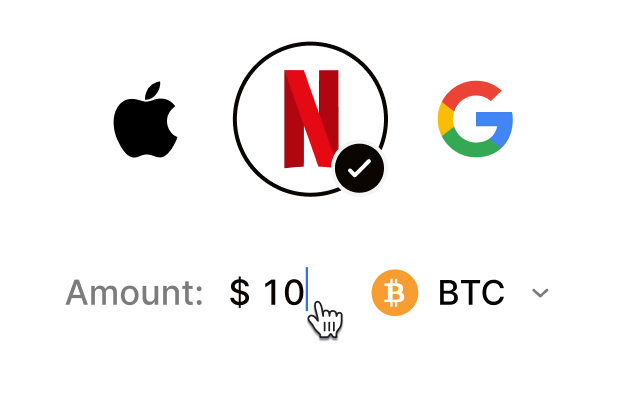 Choose your e-gift cardSelect any brand, amount, and token
 Pay safely with cryptoNo KYC required. Secure payments through our crypto checkout
 Instantly receive a voucher code via emailGet full instructions on how to redeem it
 Redeem & enjoySpend crypto on real goods and come back to Cardstorm
FAQ
- Cardstorm is a marketplace for buying gift cards with cryptocurrency. We offer a secure, fast, and private way to convert your crypto into a wide variety of gift cards. Choose a brand and the correct country/region, select your amount, pay with crypto at checkout, and receive your gift card details according to the delivery method shown on the product page.
- Cardstorm offers a wide selection of digital gift cards. Popular options include Amazon, Visa, Spotify, Netflix, PlayStation, Xbox, and Sephora. Availability can vary by country/region, so choose the correct location (for example, US) or use search to see the most up-to-date list.
- Yes. Cardstorm supports 200+ cryptoсurrencies. You can buy gift cards with different cryptos including Bitcoin, Ethereum, USDC, USDT, Binance Pay, Litecoin, Dogecoin, Lightning, or Lifi. The available cryptocurrencies can vary, so check the checkout page to see the current list of supported coins and networks.
- No. Cardstorm does not require KYC/ID verification to place an order. You only need an email address so we can deliver your digital product after purchase.
However, some products (especially prepaid cards) may require identity verification at the redeeming or usage stage (for example, when you activate the card or use it with the issuer). When this applies, it’s clearly stated in the product description. - Because digital gift cards are delivered electronically and can be redeemed instantly, refunds are often limited. Check Cardstorm’s Refund Policy and the product page terms. If you believe there’s an issue (invalid code, wrong delivery, etc.), contact support with your order details.
- After your payment is confirmed, delivery is typically within a few minutes to the email address you provide. If there’s a delay, we’ll notify you promptly and help resolve it – by offering an alternative or a refund where applicable, according to the product terms.
- First, confirm you purchased the correct country/region and followed the redemption steps for that brand. If the issue persists, contact [email protected] and include your order number, screenshots (if possible), and any error messages from the redemption page.
- If you don’t see your question answered here, email us at [email protected] – we’ll be happy to assist.