












-
Why Buy Uber Eats Gift Cards with Bitcoin and Crypto
Uber Eats checkout in the US doesn't accept cryptocurrencies. With Cardstorm, you can pay in Bitcoin, Ethereum, or USDT for a gift card, receive the code by email, and apply the USD value to your Uber Eats wallet before placing an order. Cardstorm doesn't ask for ID, and your Uber Eats account stays unconnected from a personal payment method.
-
Where Uber Eats Accepts Gift Cards in the US
When you buy Uber Eats gift card with Bitcoin and apply it to a US account, the balance works across the categories Uber Eats covers in the United States:
- Restaurants: local spots and national chains like Chipotle, Chick-fil-A, and Domino's
- Grocery delivery: Costco for Kirkland and bulk items, Albertsons banners (Safeway, Jewel-Osco, Acme, Tom Thumb, Randalls), Kroger, and Aldi for same-day orders
- Alcohol: beer, wine, and spirits in states where on-demand alcohol delivery is legal, with age check at the door
- Convenience stores: 7-Eleven, Speedway, and 180+ Circle K locations
- Walgreens retail: OTC medicine, personal care, beauty, and household items from 7,800+ US Walgreens stores
The balance also goes toward delivery fees, service fees, and tips for the courier, all settled in USD.
To redeem, open the Uber app, go to the Payment section, tap Add Payment Method, select Gift Card, and enter the Gift Code from the Cardstorm email. The USD value applies to your Uber Cash balance and will be used on the next order by default.
-
Available Uber Eats Gift Card Denominations
Cardstorm offers Uber Eats gift cards in $15, $25, $50, $75, and $100. You can add multiple codes up to $1,000 total in gift card credit on a single US Uber Eats account. Gift card credit doesn't expire.
-
Supported Cryptocurrencies
Pay for Uber Eats orders with Bitcoin, Ethereum, USDT, USDC, Solana, BNB, TRON, Litecoin, Dogecoin, Avalanche, and most major Layer 1 tokens and stablecoins. Cardstorm supports 250+ cryptocurrencies at checkout.

Buy Uber Eats Gift Card with Crypto
Buy Uber Eats gift card with crypto to pay for food delivery, grocery runs, and alcohol orders across the US without putting a debit card on the account. The credit covers Uber Eats merchants in USD: restaurants, Costco and Albertsons grocery, convenience stores like 7-Eleven, and Walgreens retail. Denominations available: $15, $25, $50, $75, and $100. Pay in BTC, ETH, USDT, or any of 250+ coins Cardstorm accepts and receive the code by email within minutes.
This product is temporarily out of stock. Please check back later.
Open the Uber app, go to the Payment section, then: 1. Tap Add Payment Method.
2. Select Gift Card.
3. Enter the Gift Code from the Cardstorm email. For full terms and conditions and customer service, visit https://www.uber.com/legal/gift-cards/en-us/.
By using this gift card, you accept the following terms and conditions: This card is redeemable via the Uber®️ or Uber Eats app within the U.S. in cities where Uber or Uber Eats is available. Funds do not expire. The card is non-reloadable and, except where required by law, cannot be redeemed for cash, refunded, or returned. You may be required to add a secondary payment method to use this gift card with the Uber or Uber Eats app. The card is not redeemable outside the U.S. Issuer is not responsible for lost or stolen cards, or unauthorized use. This card is issued by The Bancorp Bank, N.A. For full terms and conditions and customer service, visit uber.com/legal/gift.See Also
-

Uber US
$15 - $100 -
Doordash US
$15 - $50 -

Dick’s Sporting Goods US
$5 - $50 -

Google Play US
$10 - $100 -

REI US
$25 - $100 -
Starbucks US
$5 - $50 -

Giant Eagle US
$25 - $50 -

The Home Depot US
$25 - $100 -

Discord Nitro US
$9.99 - $99.99 -

Sephora US
$10 - $100 -

Quick Gifts Card Mall US
$5 - $100 -

Buffalo Wild Wings US
$25 - $100
How to buy gift card with crypto
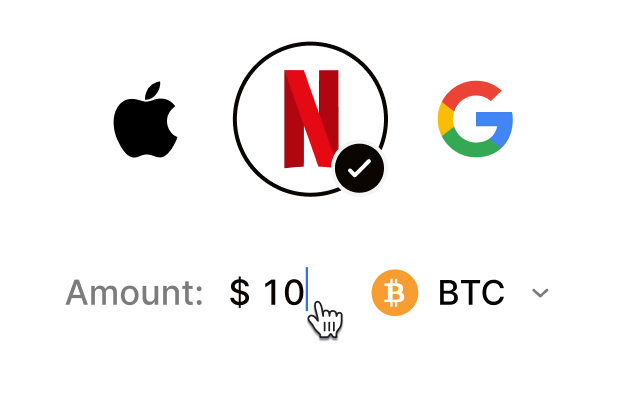 Choose your e-gift cardSelect any brand, amount, and token
 Pay safely with cryptoNo KYC required. Secure payments through our crypto checkout
 Instantly receive a voucher code via emailGet full instructions on how to redeem it
 Redeem & enjoySpend crypto on real goods and come back to Cardstorm
FAQ
- Cardstorm is a marketplace for buying gift cards with cryptocurrency. We offer a secure, fast, and private way to convert your crypto into a wide variety of gift cards. Choose a brand and the correct country/region, select your amount, pay with crypto at checkout, and receive your gift card details according to the delivery method shown on the product page.
- Cardstorm offers a wide selection of digital gift cards. Popular options include Amazon, Visa, Spotify, Netflix, PlayStation, Xbox, and Sephora. Availability can vary by country/region, so choose the correct location (for example, US) or use search to see the most up-to-date list.
- Yes. Cardstorm supports 200+ cryptoсurrencies. You can buy gift cards with different cryptos including Bitcoin, Ethereum, USDC, USDT, Binance Pay, Litecoin, Dogecoin, Lightning, or Lifi. The available cryptocurrencies can vary, so check the checkout page to see the current list of supported coins and networks.
- No. Cardstorm does not require KYC/ID verification to place an order. You only need an email address so we can deliver your digital product after purchase.
However, some products (especially prepaid cards) may require identity verification at the redeeming or usage stage (for example, when you activate the card or use it with the issuer). When this applies, it’s clearly stated in the product description. - Because digital gift cards are delivered electronically and can be redeemed instantly, refunds are often limited. Check Cardstorm’s Refund Policy and the product page terms. If you believe there’s an issue (invalid code, wrong delivery, etc.), contact support with your order details.
- After your payment is confirmed, delivery is typically within a few minutes to the email address you provide. If there’s a delay, we’ll notify you promptly and help resolve it – by offering an alternative or a refund where applicable, according to the product terms.
- First, confirm you purchased the correct country/region and followed the redemption steps for that brand. If the issue persists, contact [email protected] and include your order number, screenshots (if possible), and any error messages from the redemption page.
- If you don’t see your question answered here, email us at [email protected] – we’ll be happy to assist.