






-
Why Buy PUBG Gift Cards with Bitcoin and Crypto
With gift cards, you can load your PUBG account with funds directly through Cardstorm without having to attach a payment method to your PUBG profile. Cardstorm does not ask for KYC, and no US bank card is linked to your PUBG Mobile account.
-
Buy PUBG UC with Crypto
PUBG Mobile prices everything inside the game in UC (Unknown Cash). When you buy PUBG UC with crypto through a Cardstorm gift card, the redeemed USD value converts to UC on PUBG's side and goes into your in-game balance. From there, UC pays for:
- The Royale Pass for the active season
- Crates and the items inside them
- Outfits, weapon skins, and finishes
- Vehicle skins
- Mythic Forge upgrades
- Character upgrades and emotes
-
Get UC Via Gift Card and Get a Redemption Bonus
If you redeem your gift card on one of the bigger in-game UC packs, you will receive a bonus of up to 30% from PUBG. Thus, getting the PUBG gift cards on Cardstorm allows you to maximize the amount of UC you're getting per dollar, vs paying directly in game.
-
Available PUBG Gift Card Denominations
PUBG gift cards on Cardstorm come in six fixed USD values: $5, $10, $25, $50, and $100. Each code is single-use and adds its USD value to the PUBG Mobile account at redemption.
-
How to Redeem Your PUBG Gift Card Code
After payment confirmation on Cardstorm, you receive your PUBG gift card code by email. Then:
- Open PUBG Mobile, tap your profile, and copy your numerical Character ID
- Go to pubgmobile.com/redeem in a browser
- Enter your Character ID, the redemption code from the email, and the verification code on the page
- Press Apply
- Open PUBG Mobile and collect the rewards from your in-game mail
The USD value is added to the account, ready to spend on UC packs inside the game.
-
Supported Cryptocurrencies
PUBG gift cards on Cardstorm can be paid for in:
- Bitcoin (BTC)
- Ethereum (ETH)
- Tether (USDT) on ERC-20, TRC-20, and other networks
- USD Coin (USDC)
- Litecoin (LTC)
- BNB
- Solana (SOL)
- XRP
- Dogecoin (DOGE)
- Tron (TRX)
250+ cryptocurrencies at checkout.
Buy PUBG Gift Card with Crypto
Buy PUBG gift card with crypto to top up a PUBG Mobile account with USD. A convenient way to buy skins, the Royale Pass, or crates. Available denominations: $5, $10, $25, $50, and $100. Pay for the gift card in Bitcoin, Ethereum, USDT, or 250+ other cryptocurrencies on Cardstorm, and buy the gift card anonymously without passing KYC. The whole process takes just 5 minutes and you’ll get the code emailed to you in your PUBG Mobile in-game mail.
This product is temporarily out of stock. Please check back later.
PUBG Mobile gift cards are redeemed through the official PUBG Mobile redemption portal, and a numerical Character ID is required to direct the value to the right account. 1. Open PUBG Mobile on your phone and tap your profile in the top-left corner of the lobby
2. Copy the numerical Character ID shown next to your in-game name
3. Open a browser and go to pubgmobile.com/redeem
4. Enter your Character ID, the redemption code from the Cardstorm delivery email, and the verification code displayed on the page
5. Press Apply to submit Once the page confirms the redemption, open PUBG Mobile and check your in-game mail. The reward is delivered there, not added to a visible USD wallet inside the game. From the in-game mail you can claim the reward, after which the value is ready to spend on UC packs through the in-game store. Codes are intended for the Global server of PUBG Mobile, which covers most US players. Codes are case-sensitive when entered manually, and each code is single-use. For full terms, see pubgmobile.com/gamecredits/terms.html.
Visit the PUBG redemption page. Enter your character ID, redemption code, and verification code, press apply. The value will be added to your account.
See Also
-

PUBG Mobile UC (Global) US
$5 - $500 -

Playstation Store US
$25 - $100 -

Xbox US
$15 - $100 -

Blizzard US
$20 - $50 -
Razer Gold US
$10 - $200 -

Xbox Live US
$5 - $80 -

Xbox Game Pass 3 Month US
$24.99 -

RIOT ACCESS US
$5 - $100 -

PC Final Fantasy XIV 60 Days US
$29.99 -

NetDragon Universal (Global) US
$10 - $25 -

EA Play US
$15 - $25 -

Free Fire US
$5 - $20
How to buy gift card with crypto
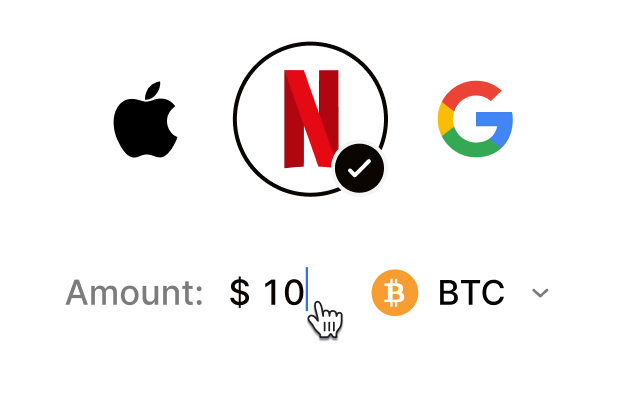 Choose your e-gift cardSelect any brand, amount, and token
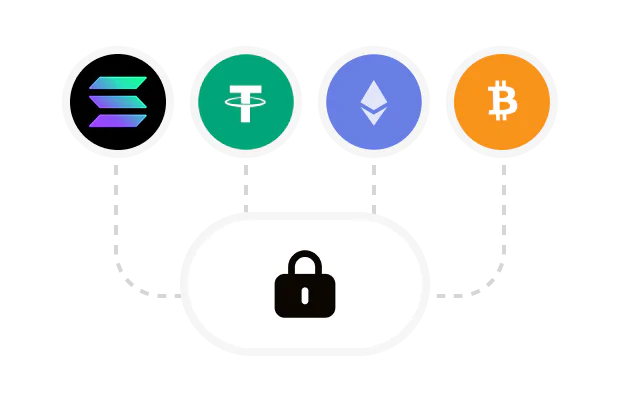 Pay safely with cryptoNo KYC required. Secure payments through our crypto checkout
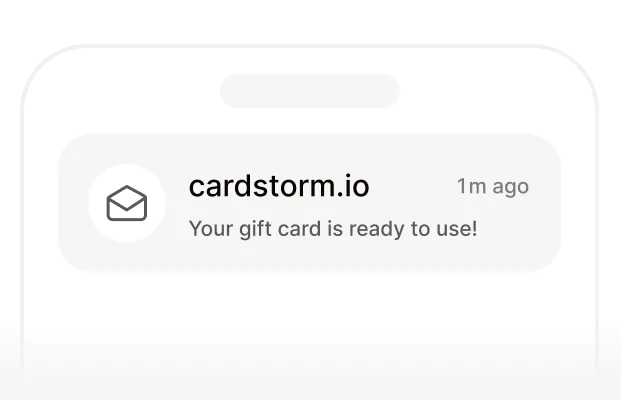 Instantly receive a voucher code via emailGet full instructions on how to redeem it
 Redeem & enjoySpend crypto on real goods and come back to Cardstorm
FAQ
- Cardstorm is a marketplace for buying gift cards with cryptocurrency. We offer a secure, fast, and private way to convert your crypto into a wide variety of gift cards. Choose a brand and the correct country/region, select your amount, pay with crypto at checkout, and receive your gift card details according to the delivery method shown on the product page.
- Cardstorm offers a wide selection of digital gift cards. Popular options include Amazon, Visa, Spotify, Netflix, PlayStation, Xbox, and Sephora. Availability can vary by country/region, so choose the correct location (for example, US) or use search to see the most up-to-date list.
- Yes. Cardstorm supports 200+ cryptoсurrencies. You can buy gift cards with different cryptos including Bitcoin, Ethereum, USDC, USDT, Binance Pay, Litecoin, Dogecoin, Lightning, or Lifi. The available cryptocurrencies can vary, so check the checkout page to see the current list of supported coins and networks.
- No. Cardstorm does not require KYC/ID verification to place an order. You only need an email address so we can deliver your digital product after purchase.
However, some products (especially prepaid cards) may require identity verification at the redeeming or usage stage (for example, when you activate the card or use it with the issuer). When this applies, it’s clearly stated in the product description. - Because digital gift cards are delivered electronically and can be redeemed instantly, refunds are often limited. Check Cardstorm’s Refund Policy and the product page terms. If you believe there’s an issue (invalid code, wrong delivery, etc.), contact support with your order details.
- After your payment is confirmed, delivery is typically within a few minutes to the email address you provide. If there’s a delay, we’ll notify you promptly and help resolve it – by offering an alternative or a refund where applicable, according to the product terms.
- First, confirm you purchased the correct country/region and followed the redemption steps for that brand. If the issue persists, contact [email protected] and include your order number, screenshots (if possible), and any error messages from the redemption page.
- If you don’t see your question answered here, email us at [email protected] – we’ll be happy to assist.